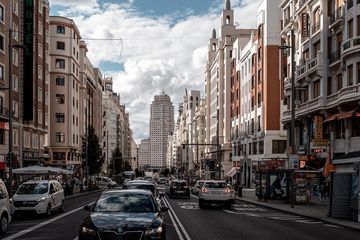
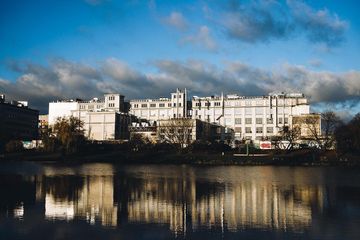
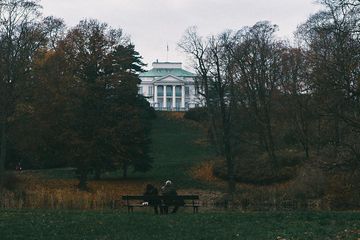
Camera settings (EXIF data)
Camera & lens
Camera Canon EOS 700D
Lens 18-35mm
Exposure
- Aperture
- ƒ/1.8
- Shutter speed
- 1/320s
- ISO
- 100
- Focal length
- 18mm
Capture details
Location
No location data
Adobe Lightroom edits
Look
| Name | Adobe Color | |
| Group | Profiles | |
| Cluster | ||
| Amount | 1.0 | |
Note on Looks
Looks are not included in the default downloadable preset. The reason is that they often require extra files installed on your system (e.g. many film emulation packs).
Without these files in place, the presets downloaded from PixelPeeper couldn't be imported. That's why PixelPeeper presets focus on universal settings. If you want to replicate the Look part, you can copy it manually, but in many cases, it won't have an effect without the looks installed on your computer first.
The "Full XMP Settings" version of the downloadable preset will include the look and other (complete) adjustments. If you have the required looks installed, you should be able to import this XMP file to Lightroom.
Basic
| Profile | Adobe Standard | |
| White Balance | As Shot | |
| Temperature | 5200 | |
| Tint |
|
+5 |
| Tone | ||
|---|---|---|
| Exposure |
|
-0.25 |
| Contrast |
|
-35 |
| Highlights |
|
+44 |
| Shadows |
|
+11 |
| Whites |
|
+29 |
| Blacks |
|
+7 |
| Presence | ||
|---|---|---|
| Texture |
|
0 |
| Clarity |
|
-15 |
| Dehaze |
|
0 |
| Vibrance |
|
-15 |
| Saturation |
|
-10 |
Tone Curve
| Region | ||
|---|---|---|
| Highlights |
|
0 |
| Lights |
|
+20 |
| Darks |
|
-5 |
| Shadows |
|
-50 |
Color Mixer / HSL
| Hue | ||
|---|---|---|
| Red |
|
+50 |
| Orange |
|
+10 |
| Yellow |
|
+5 |
| Green |
|
+30 |
| Aqua |
|
+10 |
| Blue |
|
-35 |
| Purple |
|
0 |
| Magenta |
|
0 |